
Still doing the shop’s
quoting yourself?
Quoting software for small CNC shops. Review drawings, price jobs using your shop’s rates and prepare a quote PDF for your customer.
No customer drawings or subscription needed for the walkthrough.

The request and your worksheet.
Upload the drawing and requirements. Check suggested details against the source and fill in anything missing.
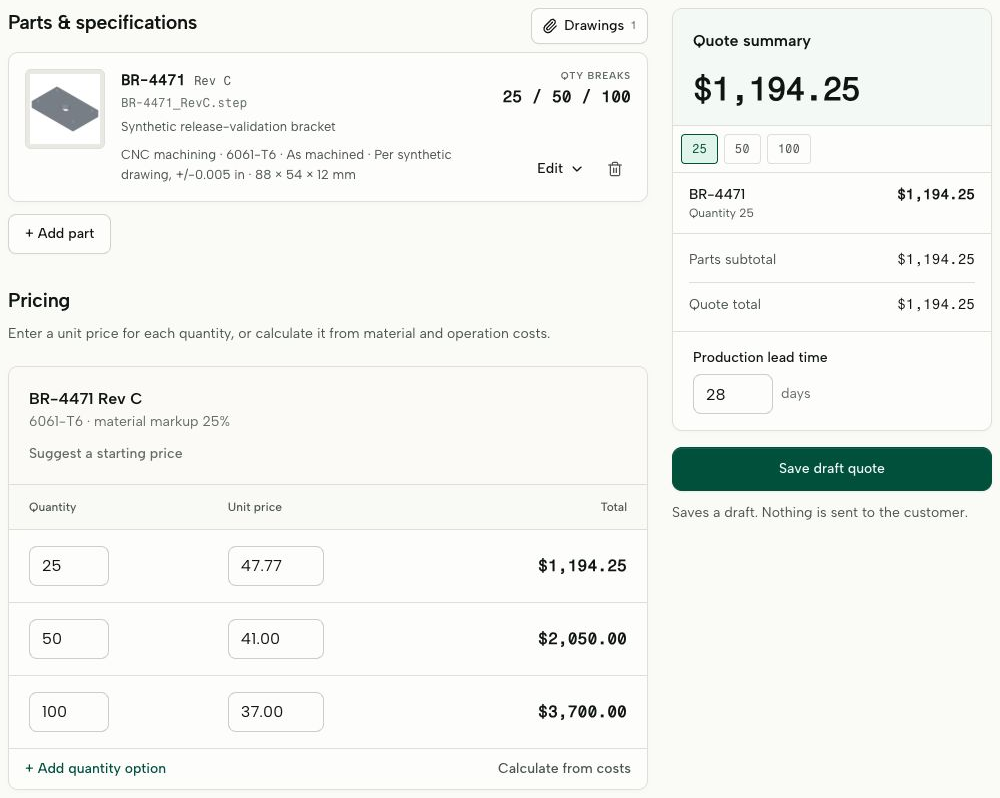
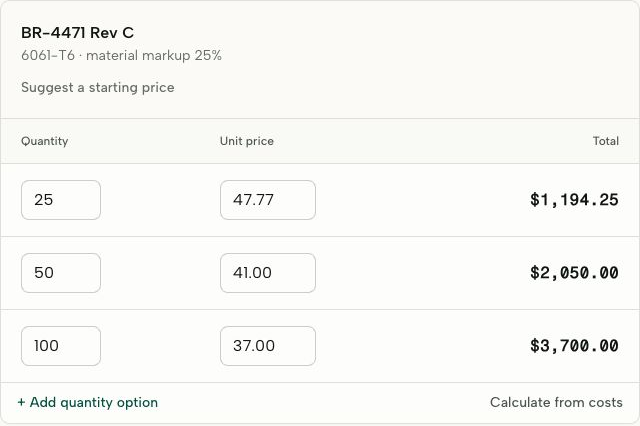
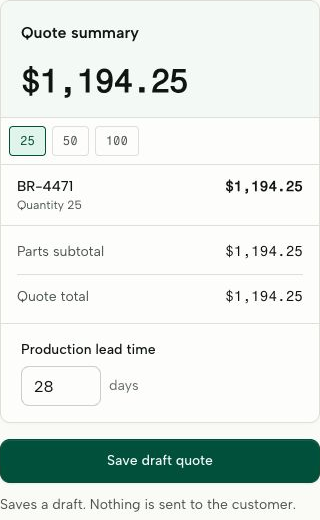
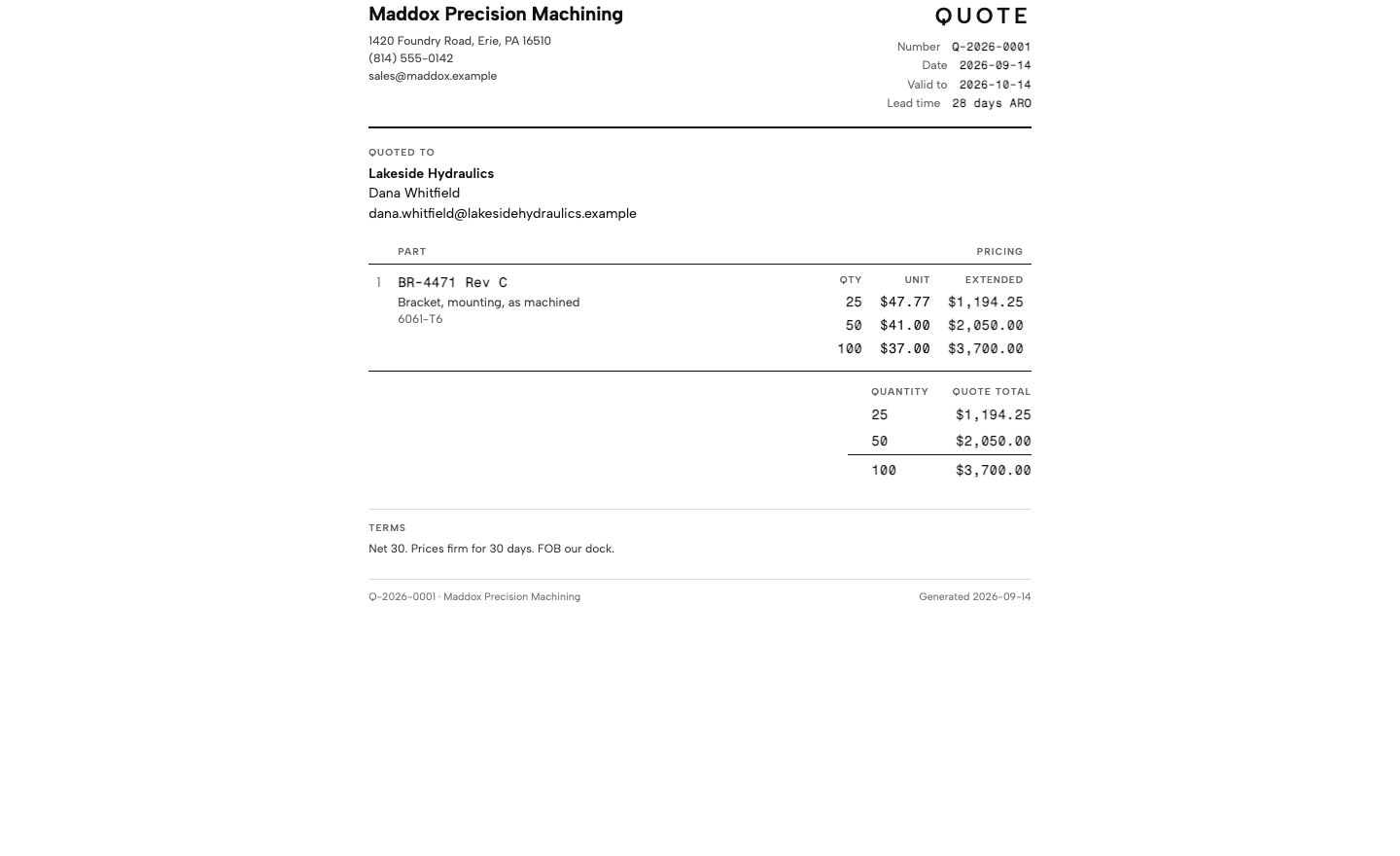
Sample RFQ · Workspace captures and illustrative prices
The drawing is in your email.
The price is in your spreadsheet.
Keep the drawing, requirements and cost decisions with the quote. Your customer keeps emailing you; you set and approve the price.
Review beside the source
Check suggested part details against the drawing before they become the basis of your quote.
Keep the cost decisions
Work through material, setup, operations and quantity breaks in the worksheet, with the request attached.
Prepare the customer’s copy
Review a quote PDF with your shop’s name, terms and lead time. Send it from your usual email.
An RFQ in your inbox. A quote ready to share.
Upload the drawing, check the requirements and set your prices. Download the quote PDF to send from your usual email.
1. Bring in the RFQ
Upload your customer’s drawings and paste the requirements from their email into a new request.
2. Review the details
AI suggests part details. Check them against the drawing, confirm quantities and fill in anything missing.
3. Set your price
Use your shop rates or enter prices directly. Compare quantity breaks and set your lead time.
4. Share the quote
Review the draft, download the quote PDF and send it from your usual email.
For the shop owner who still does the quoting.
You know the work. Give the quoting a place of its own, between the shop floor and the next customer call.
Loading sample part…
Holes, slots and the work between.
Material, setup, machining and finishing. Keep the drawing beside the estimate as you work through each cost.
- Material & stock
- Setup & run time
- Finishing
Sample geometry. CAD processing availability is confirmed during your walkthrough.
See if it fits your shopUSD / month, per shop
Every person.
Every quote request.
One monthly price.
Compare the time spent on one request. Subscribe when it fits.
Your quoting workspace
Drawings and requirements
Upload drawings, paste the customer’s requirements and review AI-suggested part details.
Your rates. Your costing.
Build prices from material, setup and operations, or enter a unit price directly.
Quantity breaks and expenses
Keep the cost components behind every total, including finishing and outside operations.
Quotes with your shop’s name
Review a draft with your terms and lead time before sending it to the customer.
Win and loss tracking
Record outcomes, reasons and competitor pricing when you know it.
Your data, ready to export
Export records as JSON and CSV, with a manifest of your drawing files.
CAD processing is being prepared for guided pilots. We’ll confirm supported files and availability during your walkthrough.
A thank-you to our first 10 shops.
The same complete plan, at a founding price for life.
$399 USD / month
Before you
send us a drawing.
Is it built for my shop?
QuoteSooner is built for small CNC shops doing milling, turning and Swiss work, including prototypes and short runs. It is not yet a sheet-metal, weldment, mould or assembly estimator, or a replacement for shop management software.
What does the AI actually do?
AI suggests part details from the drawings and request text you add, helping you prepare the request for pricing. Check those suggestions against the source and fill in anything missing. You set the prices and approve the quote; AI can make mistakes.
What happens to our drawings?
Files are stored privately and your team accesses them through signed-in accounts. You can export your shop data or request deletion. Read our Privacy Policy for how we handle your information. QuoteSooner is not for defense-controlled or export-restricted drawings.
Can you help us get started?
Yes. Request a walkthrough. We’ll work through a representative request and your rates, then arrange guided access so you can try the next request yourself.

Your next quote.
A little sooner.
Bring a sample RFQ. We’ll work through it using your shop’s rates.
Request a walkthrough